Guide · 10 min read
How to Collect Wedding Photos from Guests: Every Method Compared
Every guest at your wedding will take photos. Almost none of them will send them to you unprompted — not out of reluctance, but because the moment passes, the camera roll fills up, and nobody exports a folder of files for someone else without a very easy way to do it.
This guide compares every realistic way of collecting guest photos, shows where each one starts to break down, and covers the practical things that make guests actually take part. We’re upfront about the free alternatives — and about why many couples end up choosing a dedicated gallery once mixed devices, video quality and privacy start to matter.
Professional photos and guest photos do different jobs
Your photographer is producing a considered record of the day: the composed portraits, the light, the details, the moments they positioned themselves hours in advance to catch. That is what you are paying for and nothing here replaces it.
Guest photos do a different job. They are the reverse angle — the view from row four during the vows, the table's-eye view of the speech, the balcony shot of the first dance, the bit of the after-party your photographer had already gone home for. They are also the only record of the parts of the day where two things were happening at once.
The obstacle is never willingness. It's friction: the ask arrives too late, the upload route needs an account, guests don't know what you want, and the file is 400MB of 4K video that their messaging app will refuse or ruin.
What makes a good collection method?
Judge every option below against the same seven criteria. Weight them yourself — the right answer depends on your guest list, not on ours.
- Guest friction
- Taps between wanting to share and having shared. Installs and sign-ins are where people drop out.
- Device compatibility
- Your guest list is mixed iPhone and Android. Anything single-ecosystem excludes a large group.
- Photo and video quality
- Whether originals are preserved or the files are re-compressed on the way in.
- Privacy
- Who can see what, and whether you can decide before it's visible to others.
- Organisation
- Whether the result is browsable in a year, or four thousand files in upload order.
- Cost
- Free, subscription, or a one-off fee — and what the free options cost you in quality and time.
- Download experience
- Whether you can take the whole archive away as originals, in one action.
The seven methods
1.WhatsApp group
Pros
- Already exists and everyone is already in it
- Zero learning curve for any age group
- Instant, sociable, and free
Cons
- Photos and video are compressed unless sent as a document, which almost nobody does
- Media is interleaved with conversation and quickly buried
- No structure, no moderation, no bulk export worth the name
Best suited to: Small, informal weddings where the group chat is already the centre of gravity and you mainly want the fun of seeing photos on the night.
2.Google Photos shared album
Pros
- Works on both iPhone and Android
- Preserves original quality within your storage allowance
- Genuinely free if you have the space
Cons
- Contributing generally needs a Google account, and many guests are signed into the wrong one
- Uploads consume the album owner's storage quota
- No approval step — anything added is immediately visible to everyone with the link
- Only date-based organisation
Best suited to: Tech-comfortable guest lists and couples who want a free option that still keeps full-resolution files. See the full Google Photos comparison.
3.iCloud Shared Albums
Pros
- Effortless for Apple users — contributing is a couple of taps
- No extra cost
- Familiar interface
Cons
- Android guests can view via a web link but cannot contribute
- Media is optimised rather than stored as originals, and video is limited
- No moderation and no chapter structure
Best suited to: Small weddings where you genuinely know every guest is on an Apple device.
4.Instagram or a wedding hashtag
Pros
- Fun, public, and requires nothing from you
- Great for the couple who want the social moment
Cons
- You only get what guests are willing to post publicly, in the crop and filter they chose
- Heavily compressed, and you never receive the original file
- Private accounts are invisible to you; posts disappear as people tidy their grids
- No video archive worth keeping
Best suited to: A supplement to a real collection method — never the collection method itself.
5.Disposable cameras
Pros
- A genuine experience: a shared object on the table that people play with
- The film look is a real aesthetic choice, not a compromise
- Nothing to explain, nothing to install, no phones involved
Cons
- Limited exposures per camera and no way to know what worked until development
- Development and scanning costs add up, and turnaround takes weeks
- Indoor and evening frames often disappoint without flash discipline
- No video at all
Best suited to: Couples who want the ritual and the grain, usually alongside a digital method. It's a taste decision — we compare the two formats honestly in disposable cameras vs QR codes.
6.Wedding photo apps (install required)
Pros
- Purpose-built for weddings, often with nice galleries and effects
- Some offer digital-disposable formats guests enjoy
Cons
- An install and often an account stands between the guest and the upload
- Older guests and anyone with a full phone are the first to drop out
- Some cap uploads per guest or delay the reveal by design
Best suited to: Younger guest lists, or couples who specifically want a gimmick format like a next-day reveal.
7.Browser-based wedding upload gallery
Pros
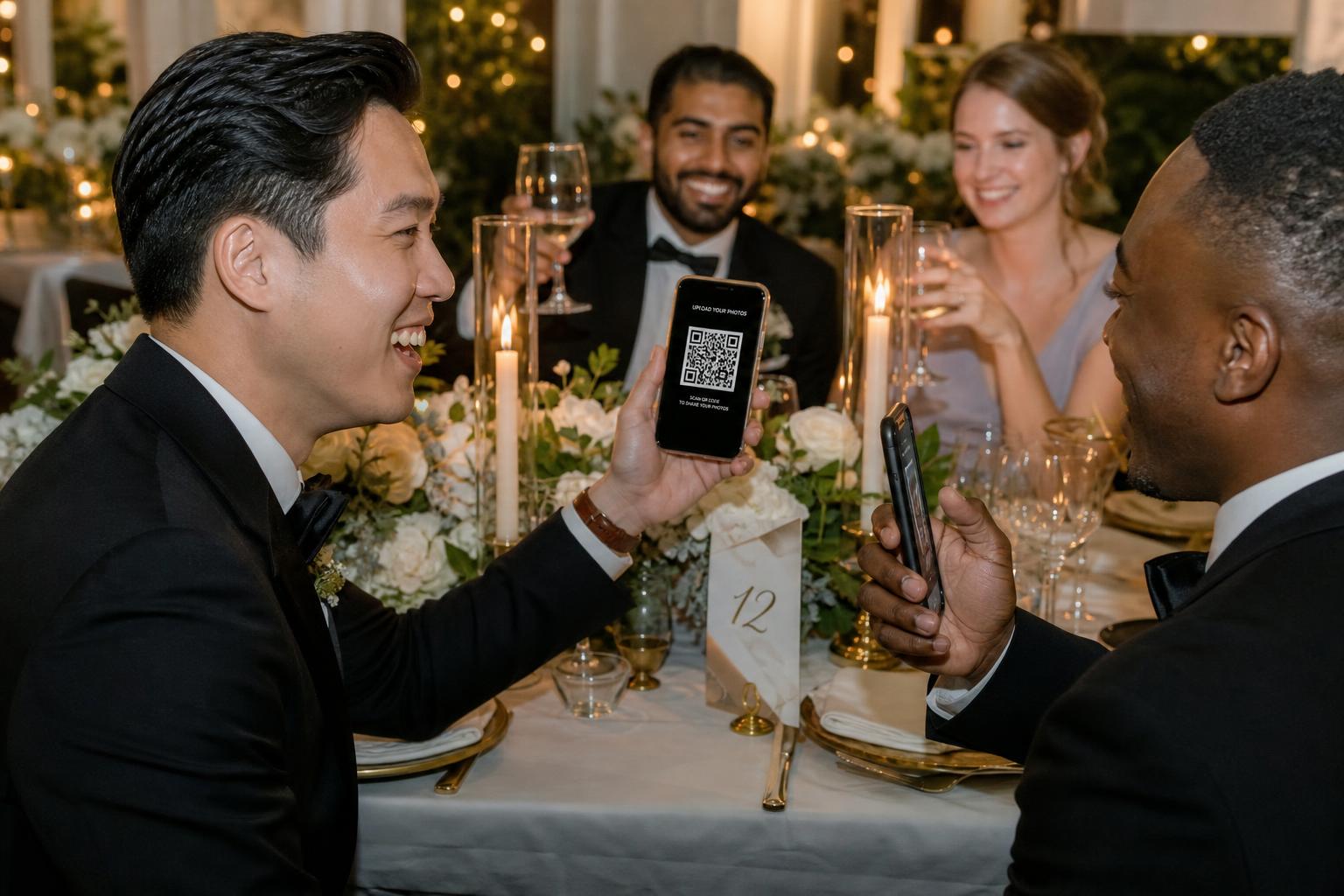
- QR code or link → phone browser → upload → central gallery, with no install and no account
- Works identically on iPhone and Android
- Originals preserved, photo and video both
- Structure and moderation built in
Cons
- Costs money — typically a one-off fee per wedding
- You're trusting a provider with your files for a defined storage window
- Needs printed QR cards and one spoken prompt to work well
Best suited to: Mixed-device guest lists, larger weddings, anyone who cares about video, and couples who want to control what becomes public.
Confetti Frame is our own take on method seven: guests scan, choose which chapter of the day they're uploading from, and their photos and video land in one gallery at the resolution they shot them. The reason it exists is the account problem — every free option above either requires one or excludes half the room.
Side by side
| Criterion | Google Photos | iCloud | Hashtag | Disposables | Wedding apps | Browser gallery | |
|---|---|---|---|---|---|---|---|
| Guest account or install | WhatsApp account | Google account | Apple ID | Instagram account | None | App install | None |
| Works on both platforms | Yes | Yes | Contribute: Apple only | Yes | Yes | Usually | Yes |
| Originals preserved | No, unless sent as a file | Yes | No — optimised | No | Film, then scanned | Varies | Yes |
| Video supported | Compressed | Yes | Limited | Compressed | No | Varies | Yes |
| Organisation | Mixed into chat | By date | By date | By hashtag | By roll | Varies | By chapter |
| Approve before public | No | No | No | No | n/a | Varies | Yes |
| Bulk download of originals | Manual | Yes | Manual | No | Scans supplied | Varies | Yes |
| Cost | Free | Free within quota | Free with iCloud | Free | Cameras + developing | Free to subscription | One-off fee |
Guest account or install
- WhatsApp account
- Google Photos
- Google account
- iCloud
- Apple ID
- Hashtag
- Instagram account
- Disposables
- None
- Wedding apps
- App install
- Browser gallery
- None
Works on both platforms
- Yes
- Google Photos
- Yes
- iCloud
- Contribute: Apple only
- Hashtag
- Yes
- Disposables
- Yes
- Wedding apps
- Usually
- Browser gallery
- Yes
Originals preserved
- No, unless sent as a file
- Google Photos
- Yes
- iCloud
- No — optimised
- Hashtag
- No
- Disposables
- Film, then scanned
- Wedding apps
- Varies
- Browser gallery
- Yes
Video supported
- Compressed
- Google Photos
- Yes
- iCloud
- Limited
- Hashtag
- Compressed
- Disposables
- No
- Wedding apps
- Varies
- Browser gallery
- Yes
Organisation
- Mixed into chat
- Google Photos
- By date
- iCloud
- By date
- Hashtag
- By hashtag
- Disposables
- By roll
- Wedding apps
- Varies
- Browser gallery
- By chapter
Approve before public
- No
- Google Photos
- No
- iCloud
- No
- Hashtag
- No
- Disposables
- n/a
- Wedding apps
- Varies
- Browser gallery
- Yes
Bulk download of originals
- Manual
- Google Photos
- Yes
- iCloud
- Manual
- Hashtag
- No
- Disposables
- Scans supplied
- Wedding apps
- Varies
- Browser gallery
- Yes
Cost
- Free
- Google Photos
- Free within quota
- iCloud
- Free with iCloud
- Hashtag
- Free
- Disposables
- Cameras + developing
- Wedding apps
- Free to subscription
- Browser gallery
- One-off fee
Quality, account and organisation columns describe how each service behaves by default. Cost excludes what you already pay for cloud storage.
Best method by wedding type
- All-iPhone wedding
- iCloud Shared Albums are free and familiar, but they only work cleanly if every guest is on Apple. If anyone is on Android, or if you want moderation, chapter organisation or full-resolution video, a browser-based gallery becomes the simpler choice.
- Small family wedding
- A WhatsApp group will collect a handful of photos, but they’ll be compressed and buried in chat. If you want the originals back easily, or an archive that still makes sense in a year, a dedicated gallery is worth the switch.
- Mixed-device wedding
- This is where the free options break down. Either a Google Photos album, if your guests are comfortable signing in, or a browser upload gallery if you'd rather nobody needed an account at all.
- Large wedding (100+ guests)
- Volume changes the problem from collection to organisation. Use something with chapters and moderation, or you'll end up with thousands of unsorted files you never open twice.
- Privacy-first wedding
- You want a private-by-default gallery with an approval step, where nothing is visible to other guests unless you say so. None of the free options offer this; a dedicated gallery with a private mode does.
- Wedding that wants a live gallery
- If you want photos appearing on a screen during the reception, you need a service built for it. That's what our live wedding photo wall page covers, including the honest hardware requirements.
- Wedding that wants the disposable-camera aesthetic
- Buy the cameras — nothing digital reproduces the ritual. Run a digital method alongside it for the video and the evening, when film struggles most.
Practical ways to increase guest participation
- Ask on the day, not afterwards. Guests have their phones out and the photos are at the top of their camera roll. A fortnight later you're competing with a dead group chat.
- Put the QR code in more than one place. One per table, one at the bar, one by the entrance, one in the loos. People act when the prompt is in front of them, not when they remember it.
- Say what the code does. "Scan to add your photos to our album" beats a bare QR square. Unlabelled codes get ignored because nobody knows where they lead.
- Have someone mention it out loud. One line from the MC or in the welcome — the single most effective prompt there is, and it costs nothing.
- Remind once during the reception. Between courses, or before the first dance. Once is a nudge; four times is nagging.
- Name what you want. "Upload your photos from the speeches" gets more than "upload your photos". Chapters do this for you automatically.
- Tell guests they don't have to choose. If you can approve what becomes public, say so — people upload far more generously when they aren't publishing.
- Share the link again afterwards, if your method supports late uploads. Some guests will only get to it once they're home on Wi-Fi.
When Confetti Frame is the right choice
A free shared album can seem like the easiest option at first, but it usually brings hidden costs: guests signing into the wrong account, compressed video, no approval step, and four hundred files you’ll never sort through. As soon as mixed devices, full-resolution video, moderation, or a gallery that still makes sense in a year start to matter, the free tools stop being free in terms of time and quality.
Confetti Frame is designed for those moments: a mixed-device guest list, guests who shouldn’t need an account, video kept at the resolution it was shot, an archive organised by chapter, and control over what becomes public. It’s a one-off payment per wedding — see pricing — with a private option and a live gallery option.
Two further reads: the shared wedding photo album guide goes deeper on the album formats themselves, and the wedding QR code guide covers print sizes, placement and testing.
Frequently asked questions
- What is the best way to collect wedding photos from guests?
- The best method depends on your guest list. For a mixed-device guest list, a browser-based upload gallery reached by QR code is usually the cleanest choice — guests need no account at all. An all-Apple guest list can use iCloud, but you’ll miss moderation, chapter organisation and full-resolution video. Whatever you choose, ask on the day rather than afterwards.
- How do I get wedding guests to actually share their photos?
- Make the ask visible and easy on the day: a QR code on every table, a short explanatory line of signage, and one spoken prompt from the MC. Tell guests specifically what you want — for example photos from the speeches — and reassure them that you decide what becomes public if your gallery supports approval.
- Should I ask guests for photos before or after the wedding?
- Both, but the day itself does the heavy lifting. Uploads made in the moment take seconds; requests made weeks later mean scrolling back through a full camera roll, which most people never get around to.
- Is a wedding hashtag enough to collect guest photos?
- No. A hashtag only surfaces what guests choose to post publicly, in the crop and filter they applied, at social-media compression. Private accounts never appear at all and you never receive the original files. Treat it as a fun extra rather than your collection method.
- Do guests need an app to upload wedding photos?
- Not with a browser-based gallery. Guests scan a QR code, their phone browser opens, and they upload straight from their camera roll with no install and no account. App-based wedding platforms do require a download, which is where most drop-off happens.
- Are disposable cameras still worth it?
- As an experience, yes — the ritual and the film look are the point, and no digital method reproduces them. As your only method, no: there's no video, exposures are limited, evening shots are unreliable, and developing takes weeks. Many couples run both.
- How do we collect video from guests, not just photos?
- Use a method that accepts large files without re-encoding them. Messaging apps compress video heavily and some cloud albums cap length or resolution. A dedicated upload gallery that stores the file as uploaded is the most reliable way to keep guest video at the quality it was shot.
Collect every photo your guests are willing to share
One QR code, no guest accounts, organised by the moments of your day.
See how it works